Picture a customer who wants to book with you. They can't use a mouse, so they move through your site with the Tab key. Halfway down the page the focus vanishes and they can't reach your contact form. They leave and book with someone else, and you never find out.
That's what website accessibility comes down to: making sure people with disabilities can read your site, find their way around it and take action. It isn't a niche concern. The CDC reports that more than 1 in 4 adults in the United States (28.7%) have some type of disability.
This guide explains what the ADA and WCAG actually ask of a small business website, the problems that show up most often, how to test your own site, and why a one-click "compliance" widget isn't the shortcut it claims to be.
Does the ADA Apply to Small Business Websites?
Short answer: the U.S. Department of Justice says it does. According to the DOJ's guidance on web accessibility and the ADA, Title III of the ADA covers businesses open to the public, and the department has held since 1996 that the ADA applies to web content.
There's no detailed technical rule yet for private businesses' websites. The DOJ says businesses have flexibility in how they make their sites accessible, but they still have to do it. It points to existing standards, the Web Content Accessibility Guidelines (WCAG) and the federal Section 508 standards, as helpful guidance.
State and local governments now have a firm standard. A 2024 DOJ rule under Title II requires their websites and apps to meet WCAG 2.1 Level AA. A 2026 interim rule pushed the compliance dates to April 26, 2027 for governments serving 50,000 or more people, and April 26, 2028 for smaller governments and special districts. If you sell to a city, county or school district, take note: the rule also covers content a government provides through contractors.
This article is general information, not legal advice. If you've received a demand letter or have specific compliance questions, talk to an attorney.
What Is WCAG, in Plain English?
WCAG is the technical standard published by the W3C, the organization that sets standards for the web. According to the W3C's WCAG overview, the current version, WCAG 2.2, was published on October 5, 2023. It's organized around four principles. Content should be:
- Perceivable: people can see or hear it (text alternatives for images, captions for video, enough contrast).
- Operable: people can use it (everything works with a keyboard, nothing flashes dangerously, users have enough time).
- Understandable: it's clear and predictable (readable text, helpful form errors, consistent navigation).
- Robust: it works with assistive technology like screen readers. Each guideline has testable success criteria at three levels: A, AA and AAA. Level AA is the practical target most organizations aim for, and it's the level the DOJ chose for government sites.
The Six Problems Found on Almost Every Website
Each year WebAIM runs automated tests on the home pages of the top one million websites. In the WebAIM Million 2026 report, 95.9% of home pages had detected WCAG failures, averaging 56.1 errors per page. Six types of problems made up 96% of all errors found:
| Problem | Share of home pages |
|---|---|
| Low-contrast text | 83.9% |
| Missing image alt text | 53.1% |
| Missing form input labels | 51.0% |
| Empty links | 46.3% |
| Empty buttons | 30.6% |
| Missing page language | 13.5% |
The good news: most of these are quick, inexpensive fixes.
A Practical Accessibility Checklist for Small Business Websites
Start with the items below. Together they cover the most common failures and the basics the DOJ calls out in its guidance.
1. Describe your images with alt text
Alt text is a short description that screen readers read aloud in place of an image. Describe what the image shows and why it's there, such as "Technician replacing a water heater in a garage," not "IMG_2041." Decorative images should get empty alt text. Google benefits too: its image SEO documentation says it uses alt text, along with computer vision and page content, to understand what an image is about.
2. Use enough color contrast
Light gray text on a white background looks sleek but is hard for many people to read. WCAG asks for a contrast ratio of at least 4.5:1 for normal-size text. Paste your colors into the free WebAIM Contrast Checker to test them. Also, don't rely on color alone. "Required fields are in red" doesn't help someone who can't see red.
3. Structure pages with real headings
Use one H1 for the page title, then H2s and H3s in order. Screen reader users jump between headings the way sighted visitors skim, and search engines use the same structure to understand your page. We cover the SEO side in why website structure matters for SEO.
4. Make everything work with a keyboard
Every menu, button, form and pop-up should be reachable with the Tab key and usable with Enter or the spacebar. You should always see where you are (the "focus" outline) and never get stuck inside a widget.
5. Label every form field
Each field needs a visible label, not just placeholder text that disappears as you type. Error messages should say what went wrong and how to fix it.
6. Write links and buttons that make sense on their own
"Click here" and "Read more" tell a screen reader user nothing. WebAIM found ambiguous link text on 15.2% of home pages. Write "See our website packages" instead. Icon-only buttons, like a magnifying glass or a social icon, need an accessible name.
7. Caption your videos
Add accurate captions to videos and transcripts to audio. The W3C notes that automatic captions alone usually aren't good enough. Proofread them.
8. Let people zoom, and control motion
Text should stay readable when it's zoomed to 200%, which also matters on phones (see why a desktop-first website hurts you). Sliders and animations that run for more than five seconds need a way to pause them, and nothing should flash more than three times per second.
How to Test Your Website in an Afternoon
You don't need special software to find most problems. Here's a simple process.
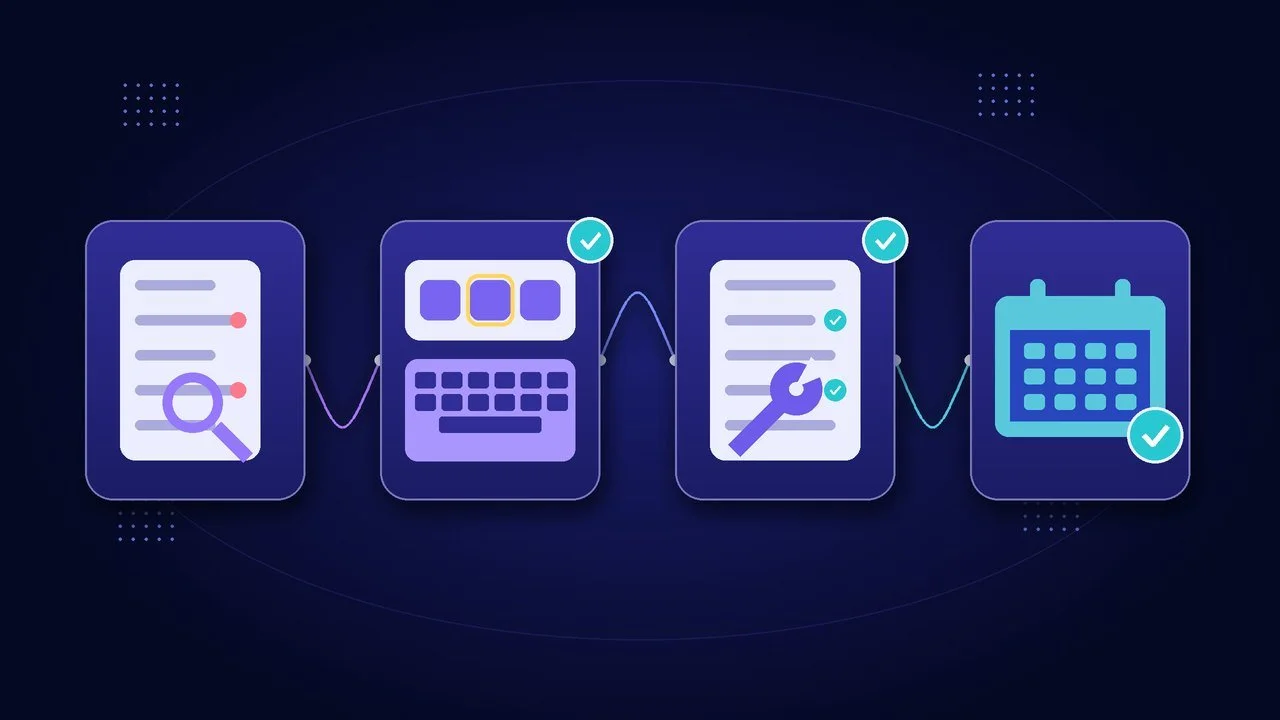
- Run a free automated scan. Put your home page and your main service and contact pages through WAVE, WebAIM's free evaluation tool. It flags missing alt text, contrast errors, empty links and missing labels.
- Do a keyboard-only test. Put the mouse away. Use Tab, Shift+Tab, Enter and the spacebar to open the menu, fill out your contact form and reach your booking button.
- Walk through the W3C's Easy Checks. The W3C's Easy Checks cover page titles, image text, headings, contrast, text resizing, keyboard access, forms, moving content and captions.
- Fix, then re-check monthly. Every new blog post, photo and form can bring problems back, so make a quick check part of routine website maintenance.
Keep in mind that automated tools only catch part of the picture. WebAIM is clear that automated tools can't detect all failures, and the DOJ warns that a "clean" report from an automated checker doesn't necessarily mean everything is accessible.
Why Accessibility Overlays Aren't a Shortcut
You may have seen ads for a widget that promises to make your site "fully ADA compliant" with one line of code. Be skeptical. In 2025 the Federal Trade Commission finalized an order requiring accessiBe to pay $1 million over claims that its AI-powered tool could make any website compliant with WCAG. The FTC said those claims were deceptive.
An overlay can't write meaningful alt text for your photos, fix a broken form or rebuild a confusing menu. The DOJ's guidance says automated checkers and overlays need to be used carefully. The real fixes live in your site's design and content.
Accessibility Is Also Good Business
Accessibility work overlaps with everything else that makes a site perform:
- Better SEO: alt text, clear headings and descriptive links help search engines understand your pages.
- Better mobile experience: readable text, good contrast and big tap targets help everyone on a phone in the sun.
- More conversions: clear forms and obvious buttons lose fewer leads. If visitors are bouncing, these are the usual reasons people leave in 10 seconds.
- Possible tax help: the DOJ's ADA tax incentives page describes the Disabled Access Credit for small businesses with 30 or fewer employees or $1 million or less in revenue (claimed on IRS Form 8826). Ask your tax professional whether your project qualifies.
If you're on Squarespace, you have a head start. Squarespace's accessibility help article covers built-in options such as color contrast settings, a keyboard focus outline, an automatic "Skip to Content" link and alt text fields for images. In the WebAIM report, Squarespace home pages averaged fewer errors than the overall average.
Add an Accessibility Statement and a Way to Report Problems
The DOJ recommends giving visitors a way to report accessibility problems. Add a short accessibility page and link it in your footer. Say that you're working to meet WCAG 2.2 Level AA, list a phone number and email for help, and commit to responding. Don't claim you're "100% ADA compliant." Be honest that it's ongoing work.
How Quantum Web Studios Can Help
Accessibility works best built in from the start, not bolted on later.
- New sites and redesigns: our web design packages range from a $200 Starter Landing Page and the $1,000 Essential Web Package (1–5 responsive pages) to the Growth Accelerator Package ($3,500–$5,800), with up to 10 custom pages and advanced SEO optimization. For a breakdown of what affects price, see how much a small business website really costs.
- Fixing an existing site: our Website Management & Optimization plan ($150/month) covers a monthly performance review, updates, and fixing broken links, errors and images. One-off fixes are $100/hour.
- Captioned, accessible social content: our social media management plans start at $299/month.
If you're also working on local visibility, pair this with our Google Business Profile guide.
Frequently Asked Questions
Is my small business legally required to have an accessible website?
The DOJ's position is that Title III of the ADA applies to the websites of businesses open to the public, even though there's no detailed technical rule for private businesses yet. WCAG Level AA is the standard most widely used. For advice about your specific situation, consult an attorney.
What WCAG level should a small business aim for?
Level AA. It's what the DOJ requires of state and local governments (WCAG 2.1 AA), and it's the practical target for most organizations. Building to WCAG 2.2 AA covers the newest criteria too.
Will an accessibility plugin or overlay make my site compliant?
Not by itself. The FTC took action against one overlay company for claiming its tool could make any site WCAG compliant, and the DOJ warns that automated tools need to be used carefully. Real fixes happen in your content and code.
How much does it cost to make a website accessible?
It depends on the size and condition of your site. Many common fixes, like alt text, contrast, headings and form labels, are small content and design changes. A full redesign costs more. A short review is the fastest way to find out where you stand.
Does accessibility help SEO?
Yes. Google says it uses alt text to understand images, and clear heading structure and descriptive links help both screen reader users and search engines.
Find Out Where Your Website Stands
Not sure whether your site would pass a keyboard test, or what an automated scan would turn up? Book a free 30-minute Readiness Call. We'll go through your key pages together, point out the accessibility and usability fixes that matter most, and tell you honestly what's worth doing first.